
Download AKVIS Decorator – texture replacement, interior design, image editing, photo editing, realistic textures, design tool, photo enhancement, visual design, creative editing, design software
Overview
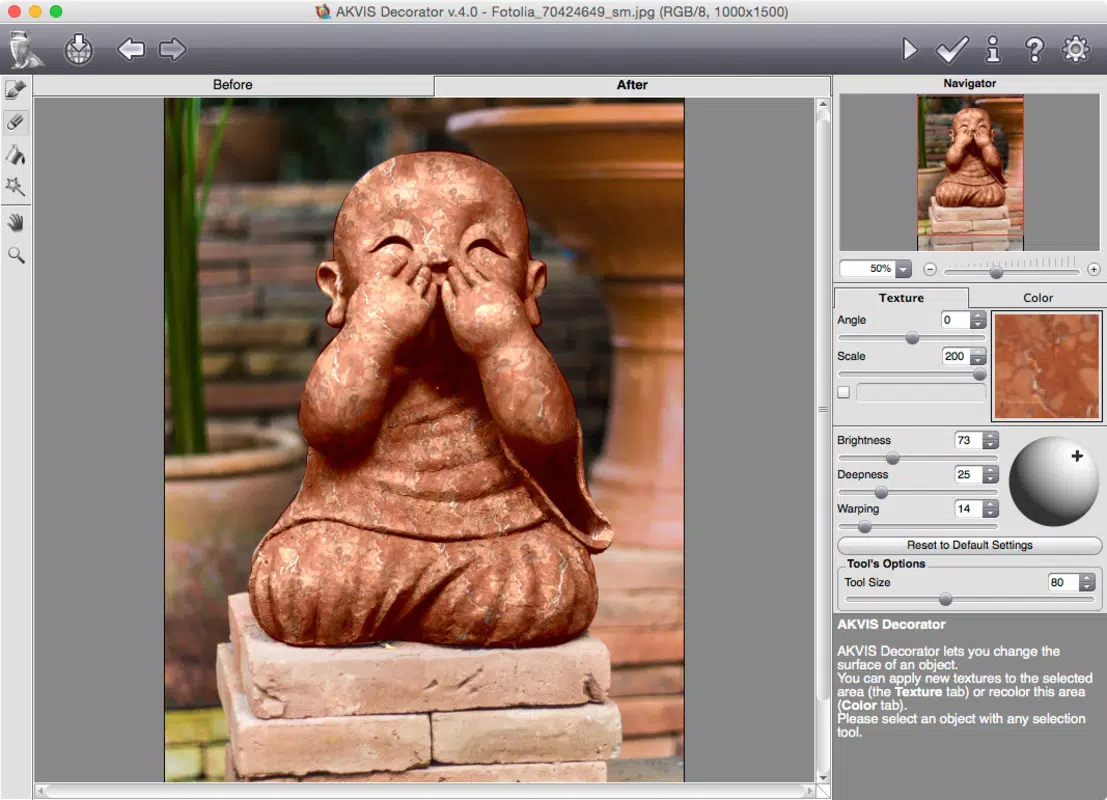
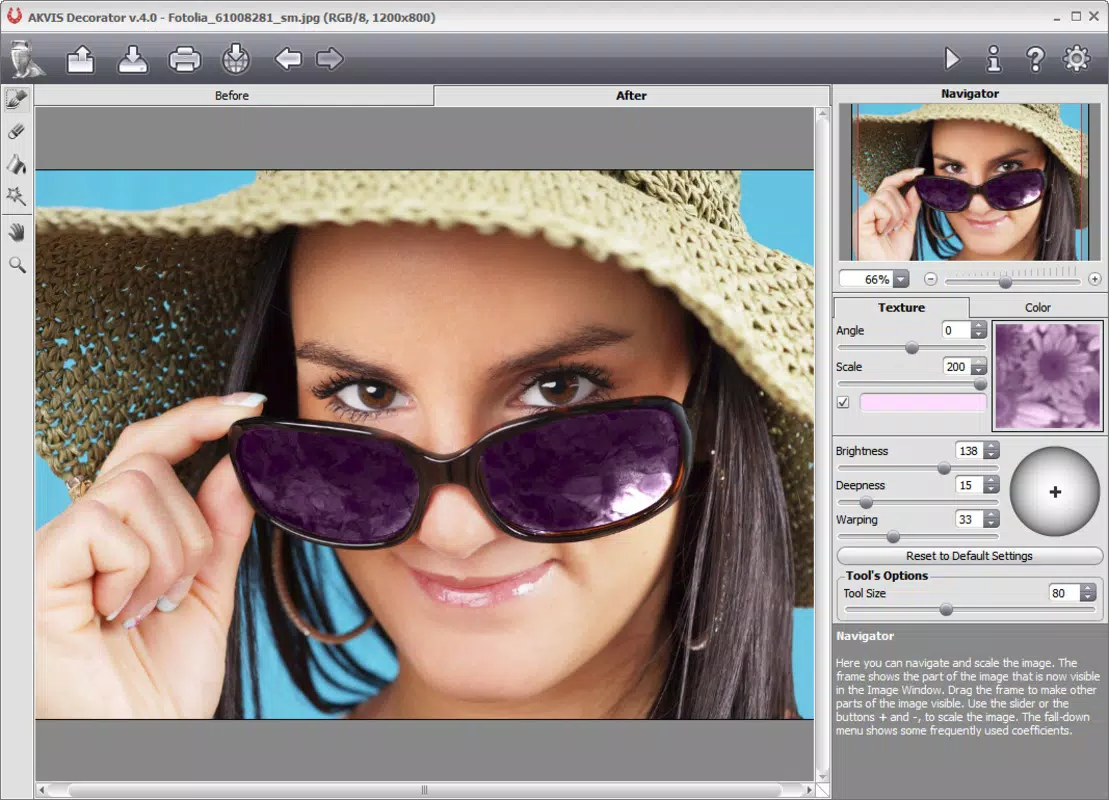
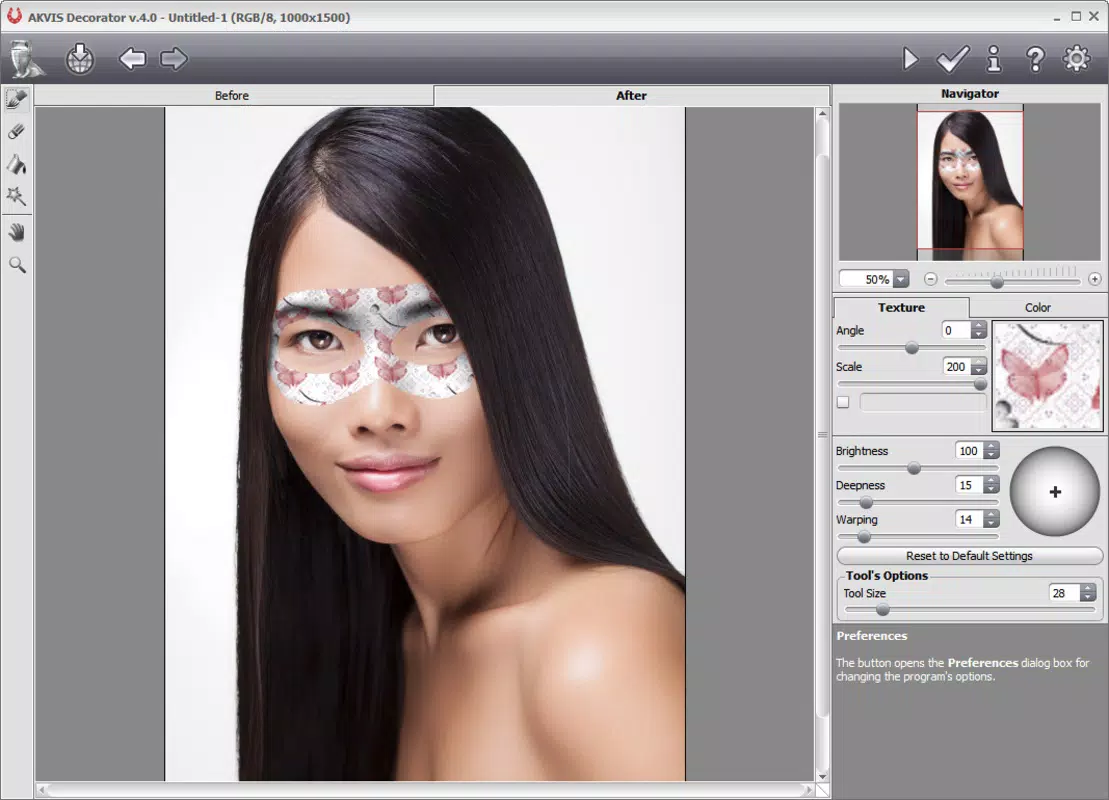
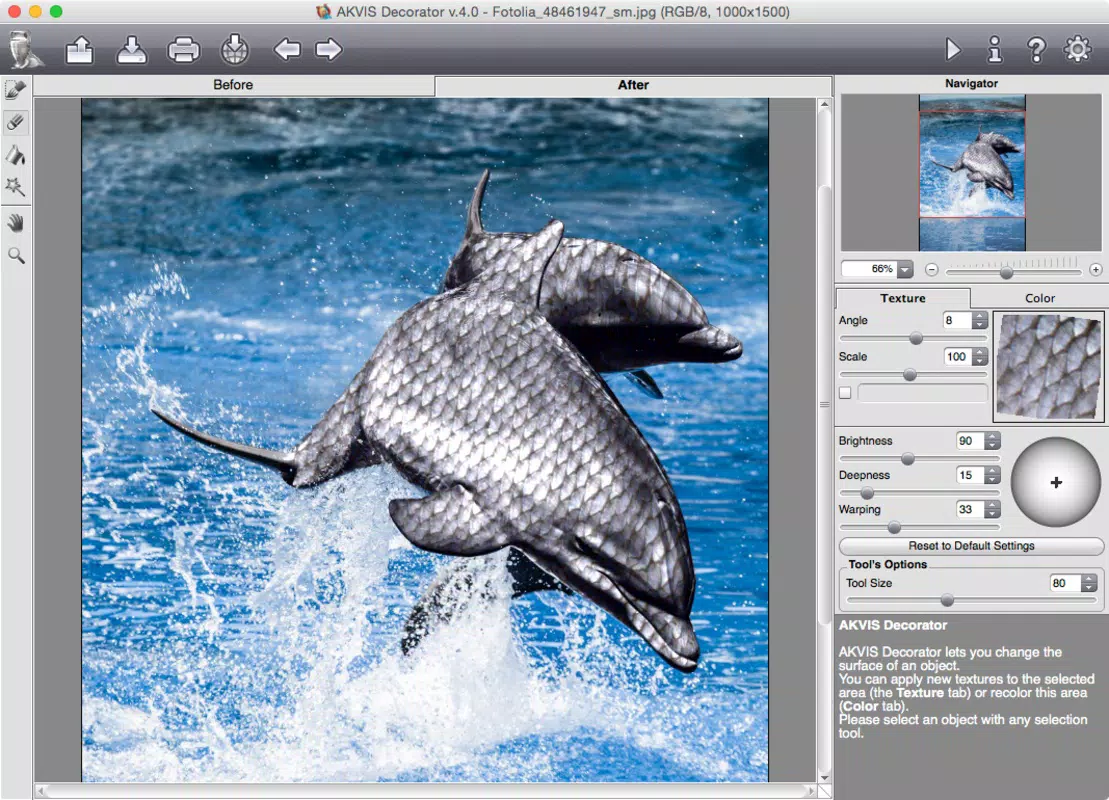
AKVIS Decorator is a specialized tool designed for enhancing digital images through advanced texture manipulation. As a plugin for established image editing platforms such as Adobe Photoshop and Corel Paint Shop Pro, it enables users to modify the appearance of objects within photos with precision and realism. The primary purpose of the application is to streamline the process of visualizing design changes, particularly in interior design, fashion, and architectural visualization. It allows users to replace textures on surfaces like walls, furniture, clothing, and vehicles, offering a fast, non-destructive method to explore creative alternatives.
Target users include professional designers, photographers, and hobbyists seeking to improve the visual quality of their projects without extensive manual editing. The tool is especially useful in pre-visualization stages, where multiple design iterations are needed quickly. Its integration into familiar software environments ensures a smooth workflow, reducing the learning curve for new users. While the developer, AKVIS, is known for image enhancement tools, specific background details beyond the company name were not provided. The app plays a valuable role in the digital design ecosystem by bridging the gap between concept and presentation, enabling users to achieve professional-grade results efficiently.
Key Features & Functionality
- Texture Replacement: Users can apply a wide range of preloaded textures or import custom ones to alter the surface appearance of objects in images. This feature is ideal for testing different materials on furniture, walls, or clothing, allowing for instant visual feedback.
- Interior Design Utility: The plugin supports rapid prototyping of room designs by enabling users to simulate how various finishes and materials will look in real-world settings. This helps in client presentations and decision-making processes.
- User-Friendly Interface: Designed with accessibility in mind, the interface allows both beginners and experienced users to navigate tools intuitively. Simple controls and visual cues reduce the need for technical expertise.
- Seamless Integration: AKVIS Decorator works directly within Adobe Photoshop and Corel Paint Shop Pro, preserving existing workflows. No additional software or complex setup is required.
- Realistic Results: Advanced rendering algorithms ensure that applied textures blend naturally with the original image, maintaining lighting, shadows, and surface depth for convincing outcomes.
For example, a designer can quickly change a wooden floor to a marble finish in a room photo, or transform a plain sofa into one with a velvet texture, all within minutes. These capabilities make the tool highly effective for iterative design and client collaboration.
Interface, UX & Performance
The interface of AKVIS Decorator is designed to complement the host applications—Adobe Photoshop and Corel Paint Shop Pro—offering a consistent look and feel. Navigation is straightforward, with tool panels positioned for easy access during editing sessions. The layout prioritizes clarity, minimizing clutter while maintaining full functionality. Users can select textures, adjust intensity, and preview changes in real time, ensuring immediate feedback.
Although the developer did not list formal performance metrics, the plugin operates efficiently within supported software environments. It maintains responsiveness even when processing high-resolution images, though performance may vary depending on system specifications. Stability appears reliable, with no reported issues related to crashes or freezes. The plugin does not require constant internet access, ensuring uninterrupted use during design work. Compatibility with various hardware configurations was not fully disclosed, but the lightweight file size of 25.7 MB suggests minimal system resource demands.
Platform Compatibility & Technical Requirements
AKVIS Decorator is available exclusively for the Windows platform. It requires a compatible version of Adobe Photoshop or Corel Paint Shop Pro to function, though specific software versions were not listed. The application has a file size of 25.7 MB, making it a lightweight addition to existing design toolkits. The current software version is 1.0.0, released on April 30, 2020. While the developer did not specify minimum OS requirements, it is designed to run on modern Windows systems.
Users should ensure their host application is up to date to maintain optimal performance. No additional drivers or dependencies were mentioned. For those seeking a plugin-based solution that enhances existing creative software, AKVIS Decorator offers a focused, efficient option without the overhead of standalone applications.
Pros and Cons
Pros
- Efficient texture replacement with realistic results
- Seamless integration with popular image editing software
- Intuitive interface suitable for users of all skill levels
- Supports both preloaded and custom texture imports
- Lightweight file size reduces system strain
Cons
- Available only for Windows, limiting cross-platform use
- Requires a host application (Photoshop or Paint Shop Pro) to function
- No mobile or web version currently available
- Price point may be high for casual users
- Specific system requirements were not disclosed
FAQ
Is AKVIS Decorator available for macOS?
Currently, AKVIS Decorator is only compatible with Windows. There is no official version for macOS.
Can I use AKVIS Decorator without Adobe Photoshop?
Yes, the plugin is also compatible with Corel Paint Shop Pro. It does not require Photoshop to function.
Is the plugin secure to install?
Yes, AKVIS Decorator is distributed through official channels and does not contain malware or unauthorized components.
How often are updates released?
Specific update frequency was not disclosed. Users should check the official AKVIS website for the latest version.
Can I use custom textures in AKVIS Decorator?
Yes, users can import their own texture files to apply to objects in images, expanding creative possibilities.
Final Thoughts
AKVIS Decorator stands out as a powerful yet accessible tool for professionals and enthusiasts focused on visual design and image enhancement. Its ability to apply realistic textures with minimal effort makes it a valuable asset in interior design, fashion editing, and architectural visualization. While it is limited to Windows and requires a host application, its seamless integration and intuitive interface justify its use in professional workflows. The plugin delivers consistent, high-quality results that elevate the final output of digital projects. For anyone seeking to improve their photo editing capabilities with a focus on texture and material visualization, AKVIS Decorator offers a compelling solution.
Download AKVIS Decorator now


